taia.ds
Datastar + XState-style state machines + Clojure: an opinionated, component-based library for server-side UI.
io.github.danbunea/taia.ds {:mvn/version "0.4.0"}
Or start a new application from the taia/app template. It sets up a Polylith
workspace with async Jetty, bb dev with an nREPL, tests, an uberjar, and the counter and live counter
ready to edit:
clojure -Tnew create :template io.github.danbunea/taia.ds%template%taia/app :name acme/shop
cd shop && bb dev
You may need to do this before, and only once to install deps-new
clojure -Ttools install-latest :lib io.github.seancorfield/deps-new :as new # once
Server-side UI components over Datastar SSE, LiveView-style, for Clojure/Ring.
A component is a pure render function (fn [ctx] -> hiccup) plus an XState-style hierarchical state machine; the
browser round-trips the component's signals (:memory, :state) as JSON, the server runs the
transition and streams back patches. Long-lived components keep an SSE connection open so the server
can push UI with send-ui!, or send the component events with send-event!.
Extracted from a production Clojure application, where it drives the whole product UI.
A component is a core.async.flow of two procs between an in-chan and an out-chan: the
controller runs the component's state machine, the view is its render fn. A click puts the
event, and the component's signals, on the in-chan; the render leaves on the out-chan and Datastar
morphs it into the page:

A connected component's flow stays up as long as its SSE stream, so the
server can send it events too (send-event!). This flow receives those server events through the in-chan. On the live counter, a
click POSTs +1 with the tab's signals as a one-shot event: it runs in a flow of its own, built from the same controller and view, and the out-chan passes the result back to the browser; from the REPL,
(ds/send-event! "live1" "demo-user" "increment" {:count 2}) sends the same event with the memory
as params through the flow the page's connection opened, the same controller code runs, and the
new value goes down the page's open SSE stream, with no click and no request:

(Both are generated: scripts/component_flow_svg.clj writes the
animated SVGs in docs/img/, and bb component-flow-gif renders the GIFs. The click in
more detail, signal store and morph included, is in example 1.)
What you write
Two namespaces per component:
- a controller (the state machine) and
- a view (the render fn).
The whole counter:
(ns my.app.components.basics.counter-controller)

(defn seed      [ctx _] (update-in ctx [:memory :count] #(or % 0)))
(defn increment [ctx _] (update-in ctx [:memory :count] inc))
(defn decrement [ctx _] (update-in ctx [:memory :count] dec))
(defn reset     [ctx _] (assoc-in ctx [:memory :count] 0))

(def machine
  {:id      :counter
   :initial :displayed
   :states  {:displayed {:on {:INIT      {:actions seed}
                              :INCREMENT {:actions increment}
                              :DECREMENT {:actions decrement}
                              :RESET     {:actions reset}}}}})
(ns my.app.components.basics.counter
  (:require [taia.ds.datastar.interface :as ds]))

(defn- post [cid event]
  (str "@post('/ds/nds/basics.counter/" cid "/" event "')"))

(defn counter [{:keys [component-id memory] :as ctx}]
  [:div.card {:id component-id :data-signals (ds/ctx->data-signals ctx)}
   [:h2 "Counter"]
   [:p.big (str (:count memory 0))]
   [:div.row
    [:button {"data-on:click" (post component-id "decrement")} "−"]
    [:button {"data-on:click" (post component-id "increment")} "+"]
    [:button {"data-on:click" (post component-id "reset")} "Reset"]]])
Plain functions and data: no handlers, no channels, no SSE, no registration. taia.ds does the rest:
- Routing.
POST /ds/nds/basics.counter/counter1/incrementreaches your machine as[:INCREMENT params]. You mount three handlers once for the whole app, not per component. - Discovery. It finds
counterandcounter-controllerfrom the namespace name. - Signals.
:memoryand:stateround-trip throughdata-signalsand come back as the ctx of the next event. A key your action removes is deleted in the browser too. - The flow. Your controller and view run as the two procs of a
core.async.flow, built per event. For a connected component it lives as long as its SSE stream. Nothing is kept between events: each starts from the tab's signals, or from a server event's params. - Connected components. Streams per user, heartbeats, reconnects, and
send-event!/send-ui!for pushes from the server. - The response. Hiccup becomes HTML and Datastar morphs it in by id; an effects list goes out as SSE.
- Observability. Traces through mulog, plus an observer hook for your metrics.
If you know re-frame
A re-frame app dispatches events, event handlers
turn db + event into a new db, subscriptions feed views that render hiccup, and all of it runs
in the browser. Here the browser only has Datastar: it POSTs the event together with the
component's signals, the server does the rest and sends HTML back.
| re-frame (browser) | taia.ds (server) |
|---|---|
app-db | the component's signals (:memory, :state), round-tripped as JSON |
dispatch [:increment] | data-on:click="@post('.../counter1/increment')" |
dispatch [:add-todo {:title "x"}] | the payload rides the request, as the query string @post('.../add-todo?title=x') or the POST body (the signals); the action receives [:ADD_TODO {:title "x"}] |
reg-event-db handler | an action in the component's state machine, (fn [ctx event] -> ctx) |
reg-event-fx effects | :invoke for async work; effects list (:patch, :patch-signals, :execute-script) |
| subscription + Reagent view | the pure render fn (fn [ctx] -> hiccup) |
| React re-render | Datastar morphs the returned HTML by element id |
No client-side state besides the signals, one round trip per event.
If you know XState
The state machine is an XState-style statechart written as a
Clojure map: nested :states, :initial, :on transitions with :cond guards and :actions,
and :invoke with :on-done / :on-error. The differences: an action is a pure
(fn [ctx event] -> ctx) (XState's assign, nothing else), an invoke runs synchronously inside
the same request, and there are no parallel states, history states or delayed events. Each HTTP
request is one transition call: the browser sends the current state and memory, the server
sends back the new ones with the HTML.
This is the wizard example's machine (wizard_controller.clj). Left out of the picture: a NEXT whose guard fails stays put and sets :error, and a machine-wide RESET returns to details.
stateDiagram-v2
  direction LR
  [*] --> editing
  state editing {
    direction LR
    [*] --> details
    details --> address : NEXT [name ok]
    address --> review : NEXT [address ok]
    address --> details : BACK
    review --> address : BACK
  }
  review --> saving : SUBMIT
  saving --> done : save! ok / keep receipt
  saving --> review : save! failed / keep error
The table in docs/state-machines.md maps each XState key to its Clojure counterpart.
Documentation
- Getting started · Components · State machines · Connected components and push
- Testing components · Gotchas (read this one) · Migration · API index
- Examples: seven components in
bases/examples, one concept each, each with a walkthrough and an executable spec.bb devserves them and prints the URL (the page is itself a component).
The same articles render on cljdoc once the jar is on Clojars (doc/cljdoc.edn).
Projects using taia.ds
-
TodoMVC-AI-Agent: the classic TodoMVC with an AI agent that manages the same list through conversation. The page is a
taia.dscomponent with its state machine; the request pipeline, SSE push anddatastar.jscome from the library.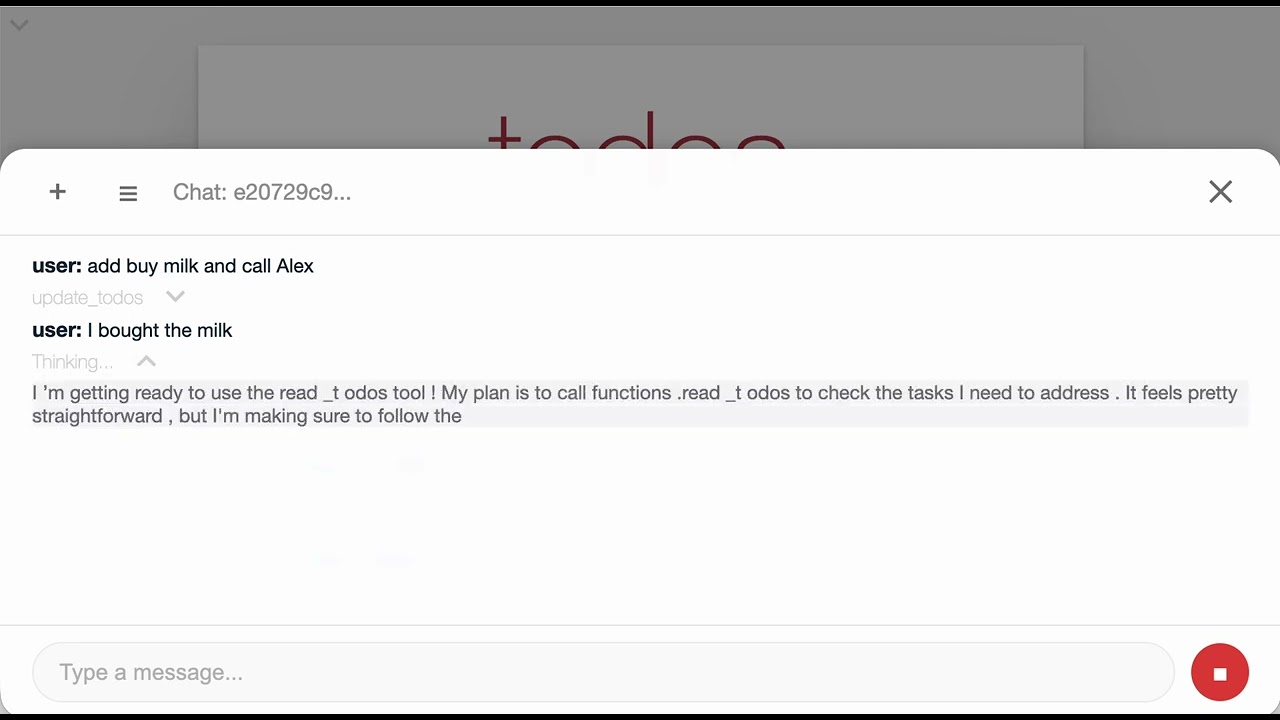
Writing a component
Under one of the search-path prefixes, <dir>.<name> is resolved from "<dir>.<name>":
my/app/components/counter/counter.clj             ; (ns my.app.components.counter.counter)
my/app/components/counter/counter_controller.clj  ; (ns my.app.components.counter.counter-controller)
counter.cljdefines(defn counter [ctx] ...)— the render fn is named after the last namespace segment and returns hiccup. Useds/ctx->data-signalsfor thedata-signalsattribute.counter_controller.cljdefinesmachine, a hierarchical state machine map (:id,:initial,:states,:on); actions are(fn [ctx params] -> ctx).- Events arrive as
POST /ds/nds/counter.counter/<id>/<EVENT>;:memoryis your persistent state,:statethe FSM state keyword.
The examples go from a counter to TodoMVC.
Effect vocabulary a render fn may return instead of plain hiccup: [[:patch hiccup opts] …],
[:patch-signals map opts], [:execute-script js opts]; opts keys/values may be :d*/… keywords
(resolved against starfederation.datastar.clojure.api). send-ui! additionally accepts
[:broadcast hiccup opts] to reach every user connected under a component-id.
Development
This is a Polylith workspace.
bb test          # Kaocha + RCF inline tests (clojure -M:dev:test)
bb e2e-test      # Playwright against the examples app (needs Node >= 18); bb e2e-test <spec> [--headed]
bb check         # poly check
bb info          # poly info
bb dev           # examples app on port 7788, prints the examples URL (nREPL on 7789)
bb api-index     # regenerate docs/api.md from the interface namespaces
bb template-test # generate a project from template/ and run its bb test, bb check, bb uberjar + a jar smoke test
bb format        # cljfmt
bb jar           # target/taia.ds-<version>.jar  (version = 0.1.<git commit count>, or :version "x.y.z")
bb install       # into ~/.m2
bb deploy        # to Clojars
clojure -M:poly <cmd> runs any other poly command. The library artifact is projects/taia-ds
(the four bricks, nothing else); projects/examples adds the examples base and is never
published. build.clj inlines the bricks into one jar whose pom lists Maven libraries only.
License
Eclipse Public License 2.0.
Can you improve this documentation?Edit on GitHub
cljdoc builds & hosts documentation for Clojure/Script libraries
| Ctrl+k | Jump to recent docs |
| ← | Move to previous article |
| → | Move to next article |
| Ctrl+/ | Jump to the search field |